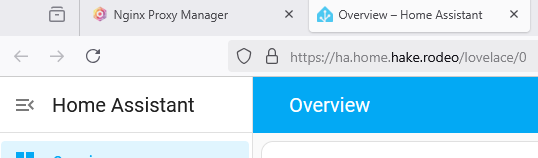
Home Assistant OS Reverse Proxy
A guide on how to set up a reverse proxy for Home Assistant OS on Proxmox using Nginx Proxy Manager.
Overview
Home Assistant OS is a great way to run Home Assistant, but it can be a bit tricky to set up a reverse proxy for it. This guide will walk you through the process of setting up a reverse proxy for Home Assistant OS on Proxmox using Nginx Proxy Manager.
Prerequisites
- Proxmox installed and running
- Home Assistant OS installed and running
- Nginx Proxy Manager installed and running
Install File Editor
In order to set up the reverse proxy, we will need to install the File Editor add-on in Home Assistant OS. This will allow us to edit the configuration files for Home Assistant OS.
Click "Settings" and then "Add-ons"
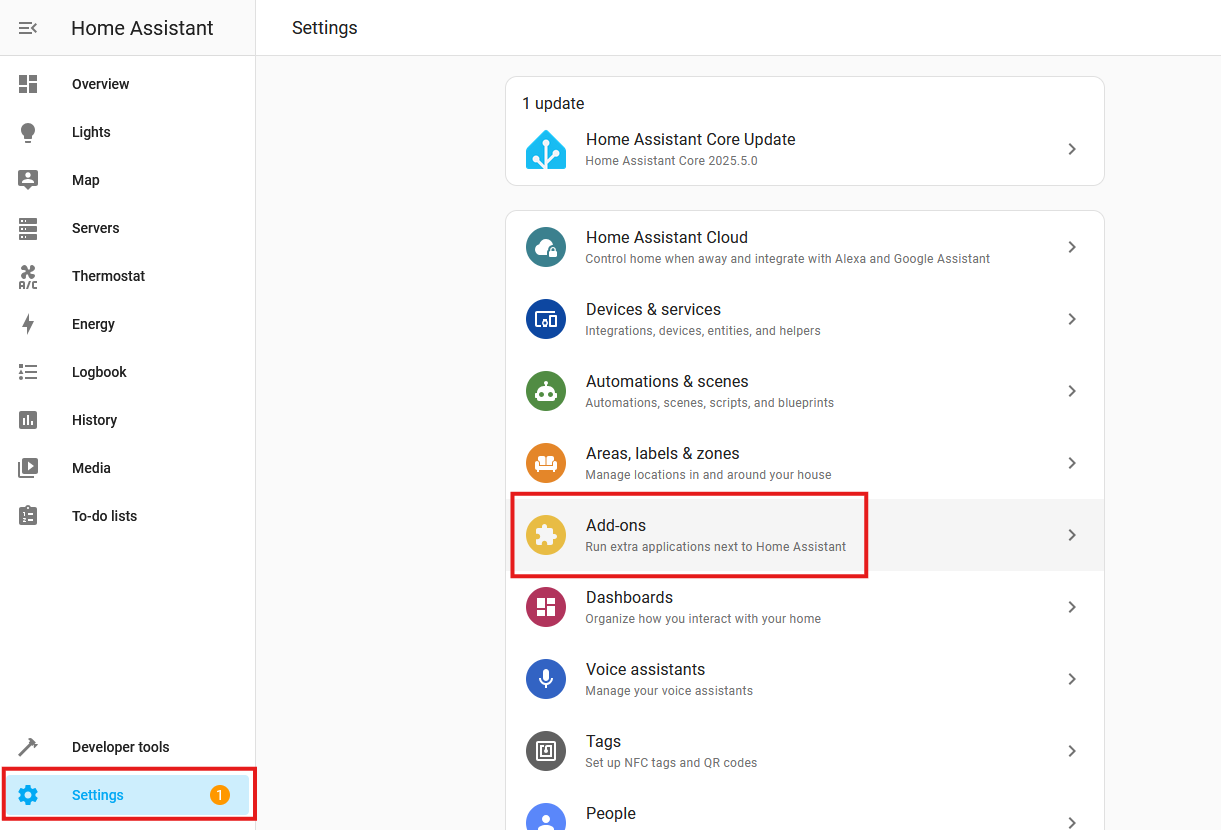
Then click "Add-on Store" in the bottom right.

Then search for "File Editor".
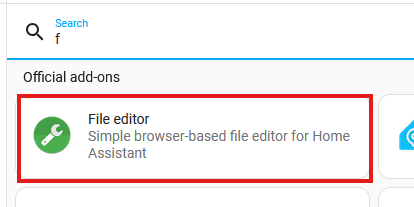
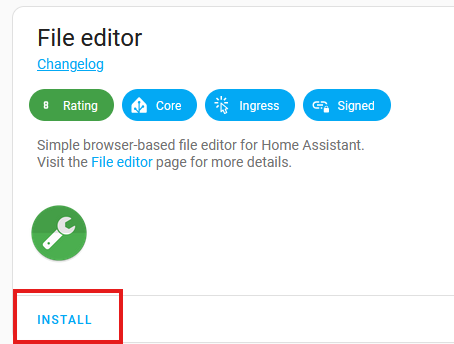
Click on it and then click "Install".
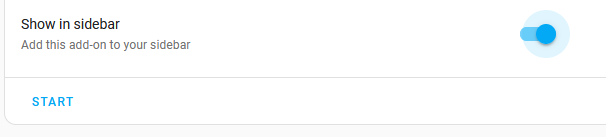
Then toggle "Show in sidebar" and click "Start" to start the add-on.
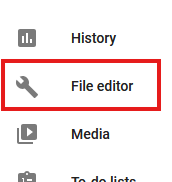
Wait for the add-on to start and then click the side menu item "File editor".
Update Configuration File
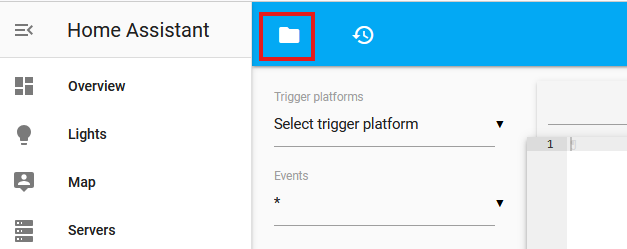
Click the "Folder" icon at the top left.
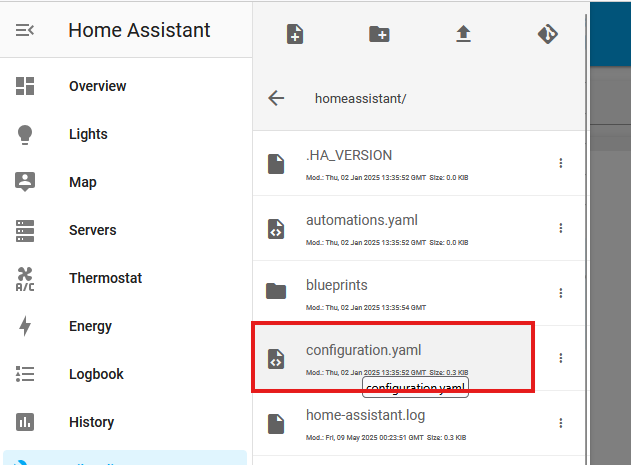
Then find the file configuration.yaml and click on it.
Update the configuration file to look like this:
http:
  use_x_forwarded_for: true
  trusted_proxies:
    - 192.168.10.4 # Your Nginx Proxy Manager IP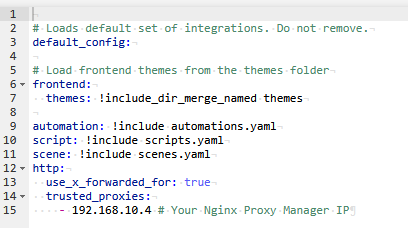
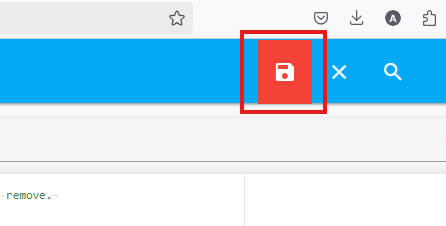
Then click "Save" in the top right.
Click "Settings" in the left sidebar and then the "Vertical Dots" icon in the top right and then restart Home Assistant.
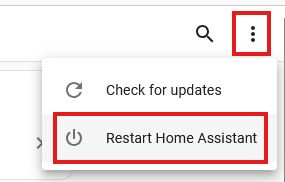
Accept any prompts regarding restarting Home Assistant.
Update Nginx Proxy Manager Configuration
Make sure to have an SSL certificate for your domain. You should have Nginx Proxy Manager SSL configured before proceeding.

Then click "Hosts" in the left sidebar and then "Proxy Hosts".
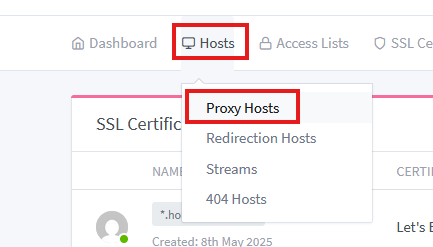
Then click "Add Proxy Host"

Then enter the following information
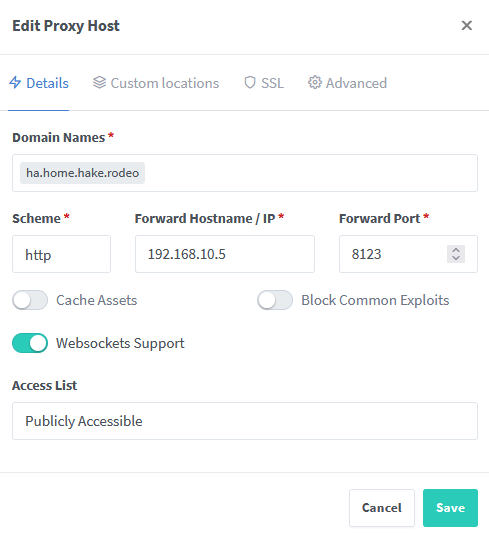
Then configure SSL as follows:
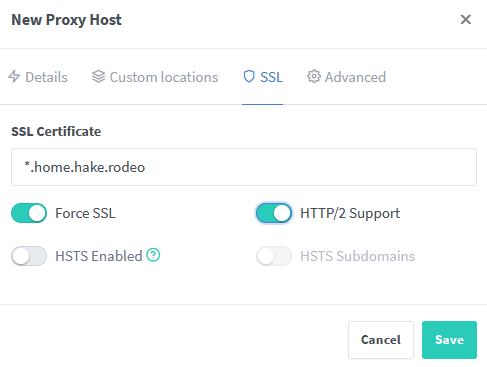
Then click "Save" in the bottom right.
Update Pi-hole Configuration
Finally, add a DNS record for your domain to point to the IP address of your Nginx Proxy Manager. This will allow you to access Home Assistant OS using your domain name.
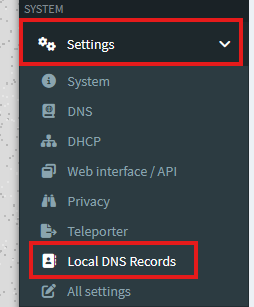
Add record

Home Assistant OS should now be accessible via your domain name.