Install Portainer on WSL
This guide will provide instructions on how to install Portainer on Docker using Ubuntu 24.04 WSL.
Prerequisites
Before starting, you should have Ubuntu WSL installed and Docker installed within WSL.
Install Portainer
Open up Ubuntu WSL
wslPortainer runs as a Docker container - which makes installation quick. First, create the portainer_data volume:
sudo docker volume create portainer_dataThen deploy the docker container
sudo docker run -d -p 8000:8000 -p 9443:9443 --name portainer --restart=always -v /var/run/docker.sock:/var/run/docker.sock -v portainer_data:/data portainer/portainer-ce:2.21.4Portainer will now be running on port 9443. Open the browser and navigate to https://localhost:9443/. There will likely be a warning that the connection isn't private. This is expected and it can safely be bypassed. Click "Advanced" and then "Continue to localhost". The specific options might be different depending on your browser.
Once Portainer loads, create the admin account by adding a password and clicking "Create User".
Once you log in, click the big "Get Started" button to view your Environments
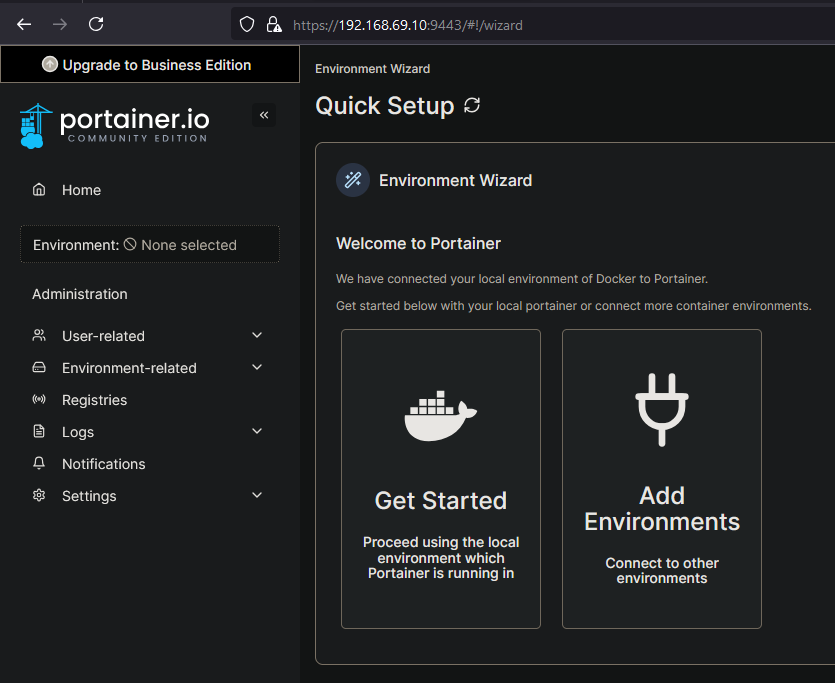
Here is where you can view your PC running Portainer.
This is not really a guide on how to use Portainer, but a few quick notes: If you click the card for the "local" environment that is the PC running Portainer. Here you can deploy Stacks which are basically docker-compose files.
- Stacks - These are like Docker Compose files, basically infrastructure as code. Allowing you to deploy many Docker containers at once.
- Container - This will list out all the containers you have running
- Image - This will show you all the images you have downloaded
- Volume - This will show you all the volumes you have created
- Networks - If you see the pattern here, this will show you the Networks. By default you will already have some.
Keep Ubuntu VM Running
If running into issues where the Ubuntu VM keeps shutting down (which was happening to me and closing all my Docker containers), you can configure WSL to auto-start to prevent this.