UGREEN NASync DXP6800 Pro Review: Built Like a Tank, Performs Like One Too
The DXP6800 Pro is the best-built consumer NAS I have handled. The all-metal chassis, dual 10GbE, Thunderbolt 4, and built-in PSU set it apart from the competition. The i5-1235U handles NAS duties without breaking a sweat, though it will throttle under sustained compute workloads. It is not cheap, especially once you factor in RAM and drives, but the build quality and feature set justify the price for anyone who wants a NAS they can also run Proxmox, Jellyfin, and other services on.
Pros
- ✓All-metal chassis with exceptional build quality
- ✓Dual 10GbE Aquantia NICs hitting full line rate (9.38 Gbits/sec)
- ✓Built-in AC power supply, no external brick
- ✓Tool-less 3.5-inch drive trays with locking keys
- ✓Easy bottom-panel access for RAM and M.2 NVMe upgrades
- ✓2x Thunderbolt 4 ports for high-speed external connectivity
- ✓Quiet operation, drives louder than the system itself
- ✓128GB dedicated OS drive does not consume an M.2 expansion slot
Cons
- ✗CPU thermal throttles to 95C under sustained all-core stress
- ✗Boot drive replacement requires full disassembly
- ✗Stock 8GB RAM is insufficient for most workloads beyond basic file serving
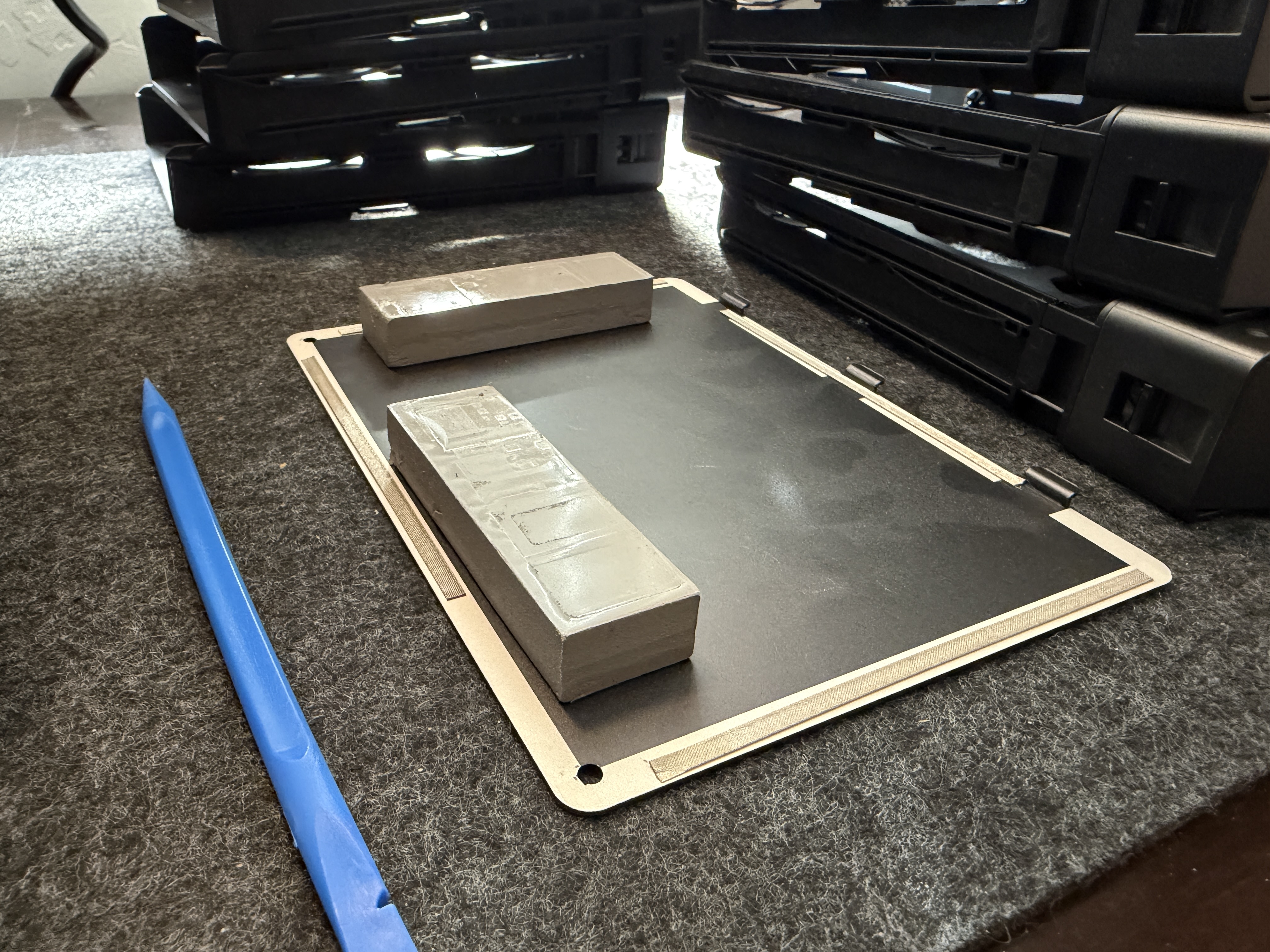
- ✗NVMe thermal pads make the bottom spring panel sticky when drives are installed
- ✗Premium pricing, and a RAM upgrade is strongly recommended on top
The UGREEN NASync DXP6800 Pro is a 6-bay NAS built around an Intel Core i5-1235U processor with dual 10GbE networking, Thunderbolt 4, and an all-metal chassis that feels like it could survive being thrown down a flight of stairs. After six months of daily use running Proxmox and a full suite of benchmarks, here is what I found.
Specifications
| Component | Details |
|---|---|
| CPU | Intel Core i5-1235U (10C/12T, up to 4.4GHz, 15W TDP) |
| RAM | 8GB DDR5 SO-DIMM stock (max 64GB, 2 slots) |
| Drive Bays | 6x 3.5"/2.5" SATA hot-swap with locking keys |
| M.2 Slots | 2x NVMe 2280 (bottom panel access) |
| System Drive | 128GB SSD (dedicated, not in an M.2 slot) |
| Networking | 2x 10GbE Aquantia AQC113 |
| USB | 2x Thunderbolt 4 (40Gbps), 2x USB 3.2 Gen 2, 2x USB 2.0 |
| Video | HDMI (4K, 8K with extra RAM module) |
| Expansion | PCIe x8 open-ended half-height slot (supports x8/x4/x1, accepts up to x16 cards physically) |
| Other | SD 4.0 card slot, Kensington lock |
| Power | Built-in AC PSU (100-240V, no external brick) |
| Dimensions | 294 x 258 x 189mm |
TIP
The DXP6800 Pro ships with 8GB of DDR5 RAM and a 128GB boot drive, so it is ready to run out of the box. However, 8GB is insufficient for anything beyond basic file serving. Upgrading to at least 32GB is strongly recommended if you plan to run Proxmox, Docker containers, or ZFS with its memory-hungry ARC cache.
Build Quality and Design
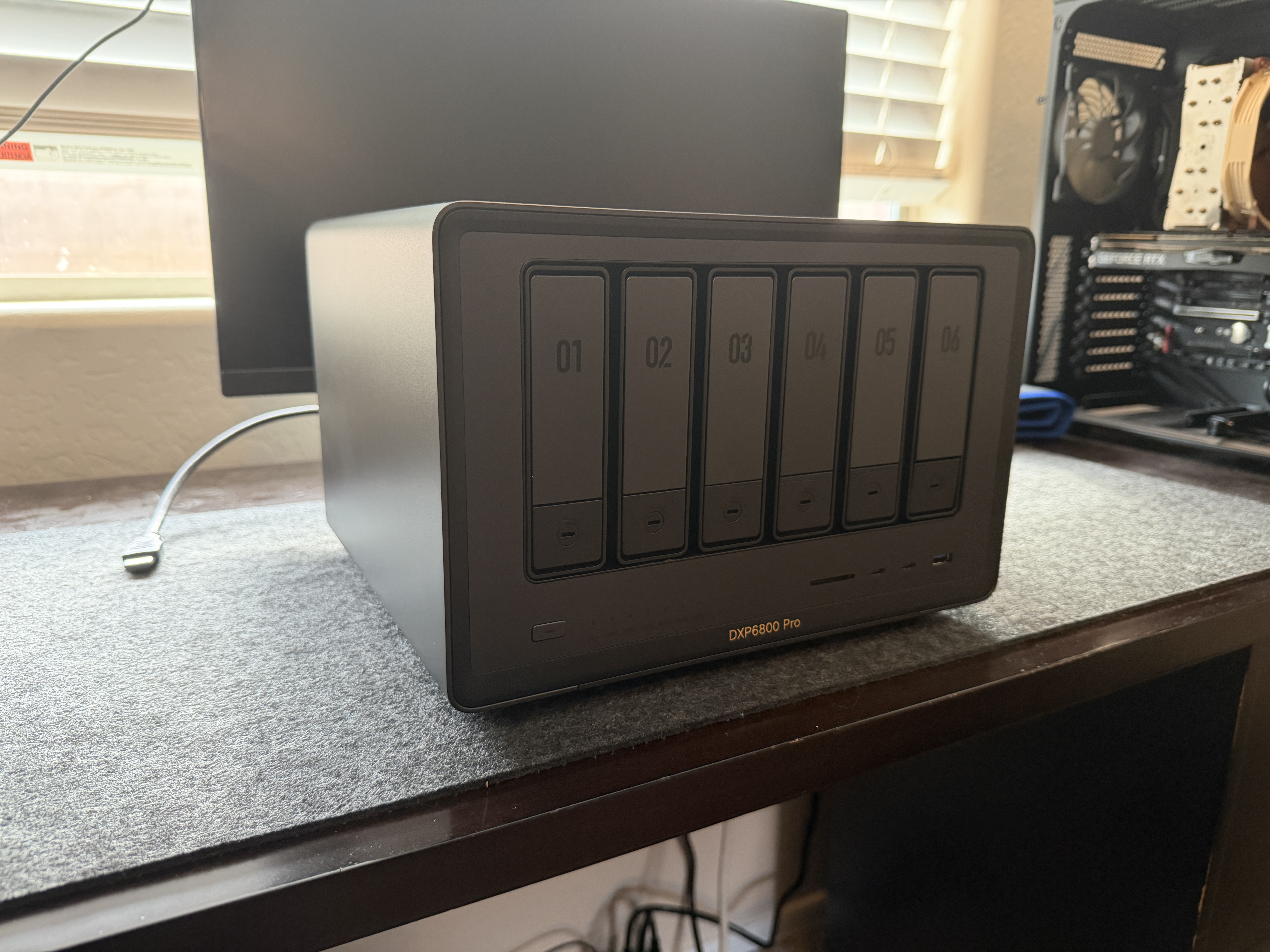
The first thing you notice picking up the DXP6800 Pro is the weight. This is solid metal throughout, not a plastic panel in sight. The chassis is a tank. Every design decision reinforces that impression: different screw types for each section so reassembly is foolproof, machined metal feet, a magnetic dust mesh filter on the back that pops off for cleaning.
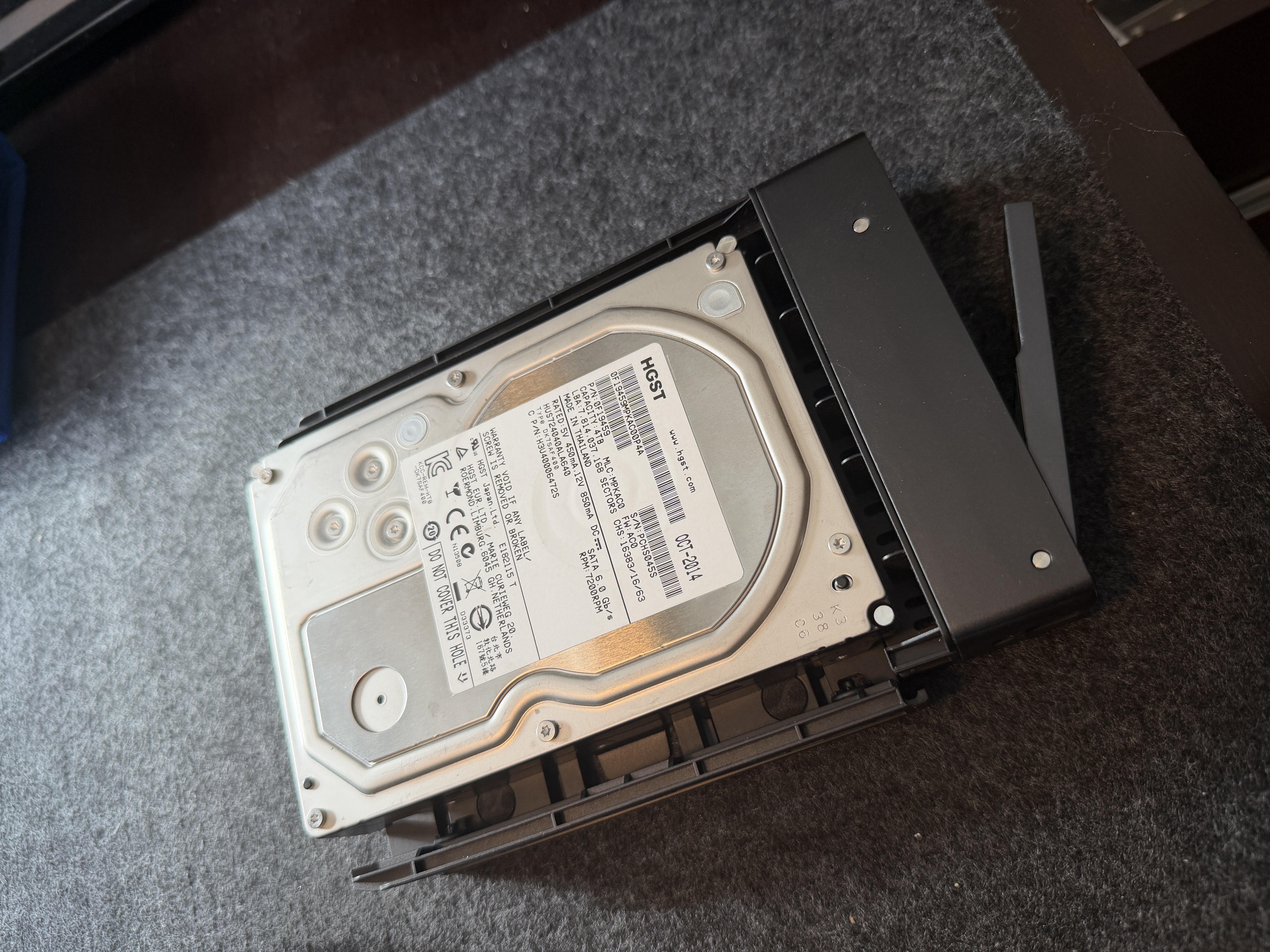
The drive trays are tool-less for 3.5-inch drives. Press the buckle, pull the arm, drop the drive in, close it, slide it back. Each bay has its own lock and LED indicator. For 2.5-inch drives you will need screws, but the tray design accommodates both sizes cleanly.
The front panel gives you USB-C (Thunderbolt 4), USB 3.2 Gen 2, an SD card slot, and the power button. The back has the dual 10GbE ports, HDMI, more USB ports, the PCIe expansion slot behind a removable bracket, and a standard IEC power cable. No external power brick. The PSU is built into the chassis, which is a genuine quality-of-life improvement over competitors that ship with bulky DC adapters.
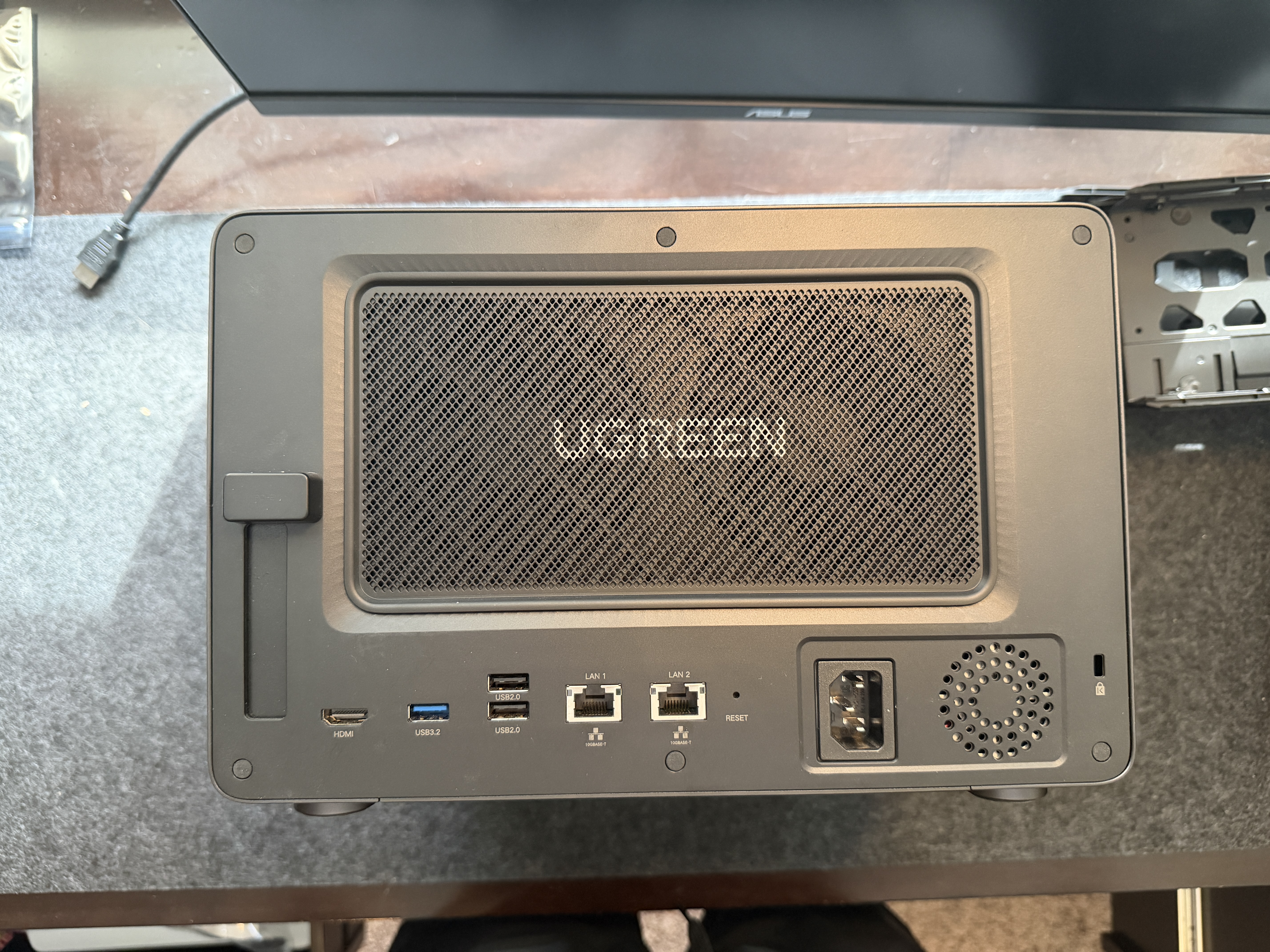
Internal Access and Upgrades
RAM and M.2 NVMe access is through a bottom panel held by four screws. Pop it off and you are looking at two SO-DIMM slots and two M.2 2280 slots with oversized thermal pads. The thermal pads are necessary since there is no active airflow over this area, but they are sticky and make the spring-loaded panel finicky to remove when NVMe drives are installed.
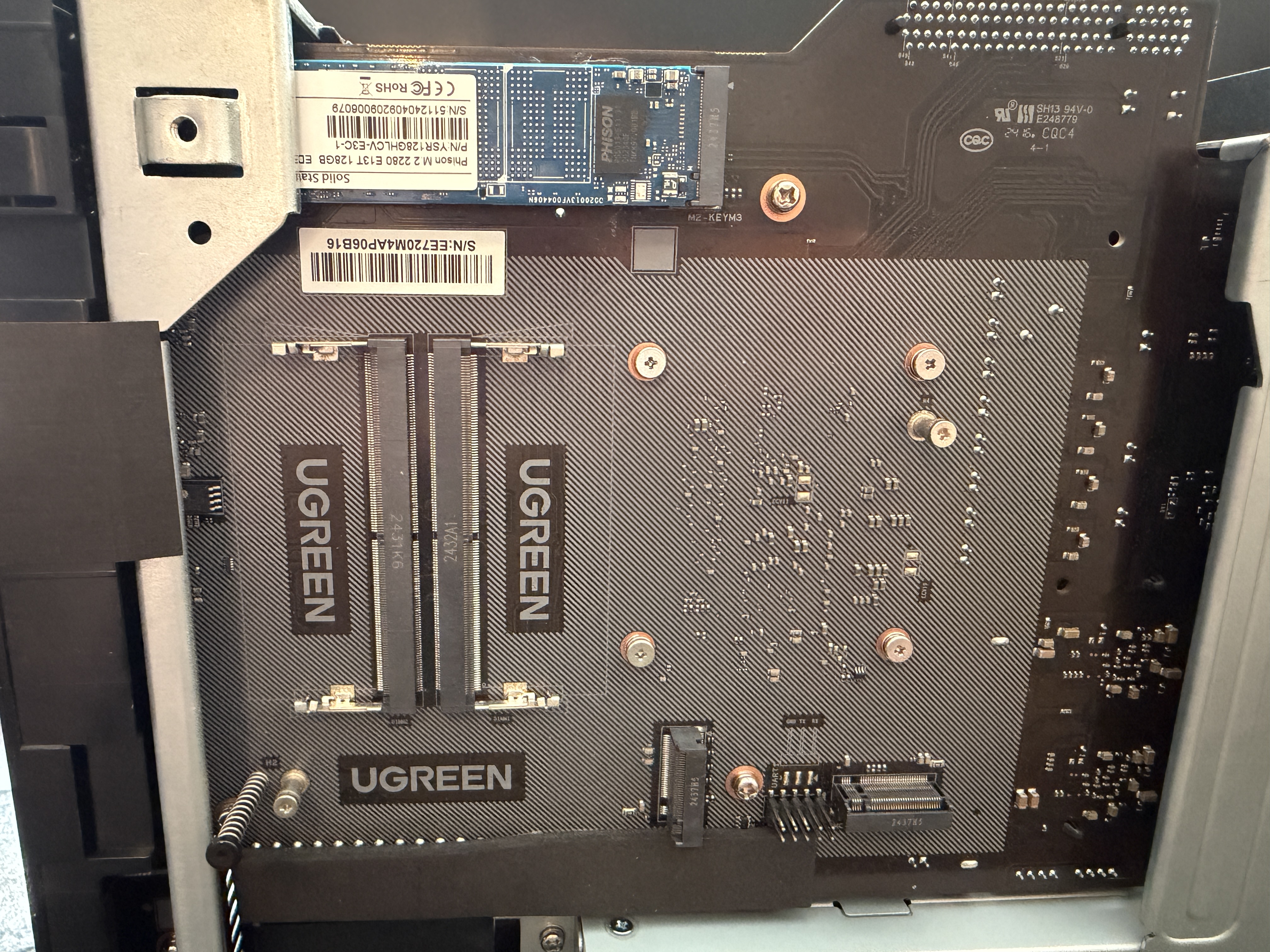
The 128GB system drive is a different story. It sits on the main board behind the drive cage, and replacing it requires a full teardown: bottom panel off, shell off, board tray flipped. Not something you would do casually, but also not something you should need to do. 128GB is plenty for an OS drive, and the two M.2 expansion slots handle any additional fast storage needs.
Cooling and Noise
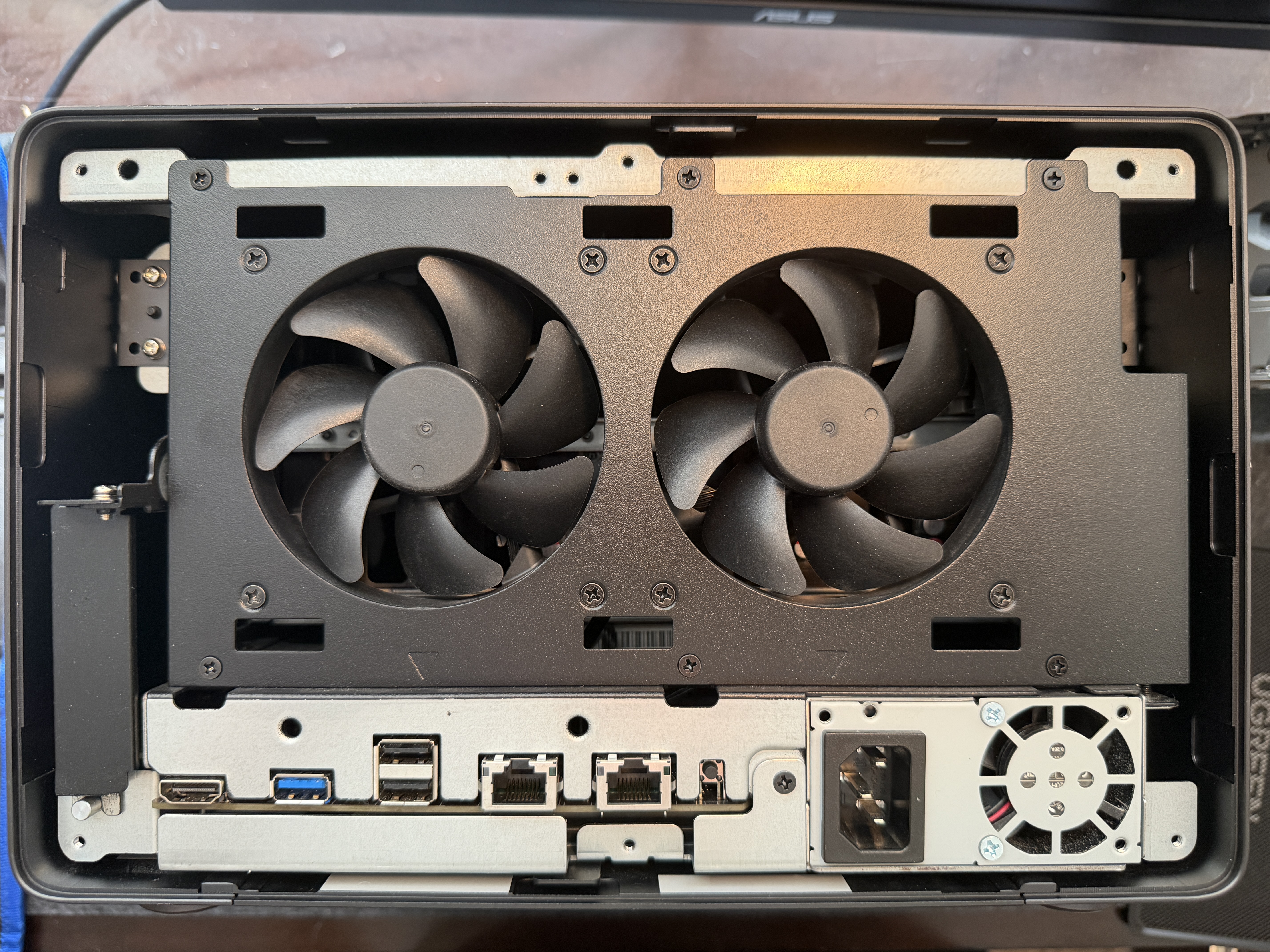
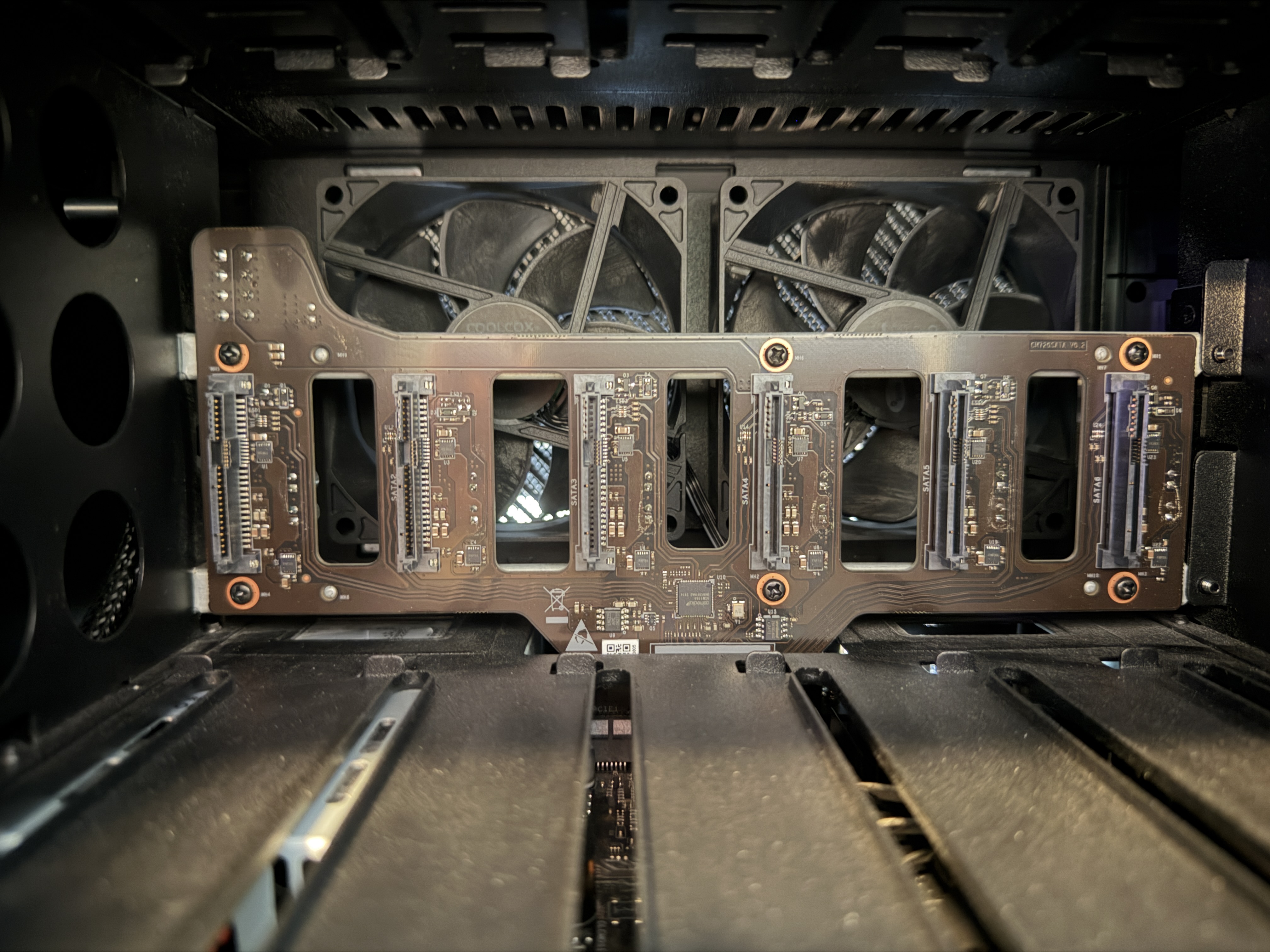
Two 92mm rear exhaust fans pull air through the drive cage. In six months of use with six 18TB drives, the system has been effectively silent. The drives themselves produce more noise than the fans. Under normal NAS workloads the cooling is more than adequate.
Under sustained all-core CPU stress, the i5-1235U hits its 100C thermal limit within 10 seconds, then throttles down to sustain at 95C. The CPU settles around 26-27W package power. This is a 15W TDP laptop chip in a compact enclosure, so thermal throttling under extreme load is expected. For actual NAS workloads like file serving, transcoding, and running containers, the CPU rarely exceeds a few watts and temperatures stay well under 60C.
Storage Performance
Benchmarked with 6x HGST Ultrastar 7K4000 4TB drives (enterprise drives from 2014, all with zero SMART errors after 53,000-66,000 hours of operation) in a ZFS RAID-Z2 configuration providing 14.4TB usable storage.
ZFS RAID-Z2 Pool (6x HDD)
| Test | Result |
|---|---|
| Sequential Write | 607 MB/s |
| Sequential Read | 611 MB/s |
These are strong numbers for a 6-drive HDD array. The ASMedia ASM1164 SATA controller handles the workload well, and ZFS striping across 6 drives in RAID-Z2 delivers throughput that approaches the practical limits of spinning rust.
NVMe Storage
| Drive | Sequential Read | Sequential Write |
|---|---|---|
| Stock 128GB (PCIe 3.0, DRAM-less) | 746 MB/s | 673 MB/s |
| Added 500GB Corsair Force MP600 (PCIe 4.0) | 3,009 MB/s | 1,255 MB/s |
The stock 128GB drive is a budget DRAM-less unit adequate for OS duties. Adding a PCIe 4.0 NVMe in the expansion slot demonstrates the headroom: nearly 3 GB/s read speed, enough to fully saturate a 10GbE link for NVMe-backed shares.
Network Performance
Both Aquantia AQC113 10GbE NICs were tested against a Proxmox server (Supermicro M12) via a Unifi 10GbE switch on the same L2 segment.
| Test | Result |
|---|---|
| Single stream | 9.38 Gbits/sec |
| 4 parallel streams | 9.41 Gbits/sec |
| Retransmits | 388 (single), 0 (parallel) |
Full line rate on 10GbE with zero retransmits on multi-stream. The Aquantia controllers have excellent Linux driver support out of the box on Debian 13 with kernel 6.12, no additional drivers needed.
With the HDD array delivering ~600 MB/s and a single 10GbE link maxing out at ~1,170 MB/s, the network is not the bottleneck. Add NVMe-backed storage and the dual 10GbE ports with link aggregation become genuinely useful.
Power Consumption
Measured at the wall using a Shelly Plus Plug US smart meter, cross-validated with Intel RAPL for CPU package power.
| State | Wall Power | CPU Package |
|---|---|---|
| Boot peak (HDD spin-up) | 114.8W | -- |
| Idle (6 HDDs spinning) | 85.1W | 1.0W |
| Idle (HDDs spun down) | 39.3W | 1.0W |
| Full CPU stress | 120.9W | 27.0W |
The 6 spinning 7200RPM enterprise drives account for roughly 46W of the idle draw. The base system without drives draws about 39W. With fewer, smaller, or lower-power drives, idle power drops significantly.
Internal Construction
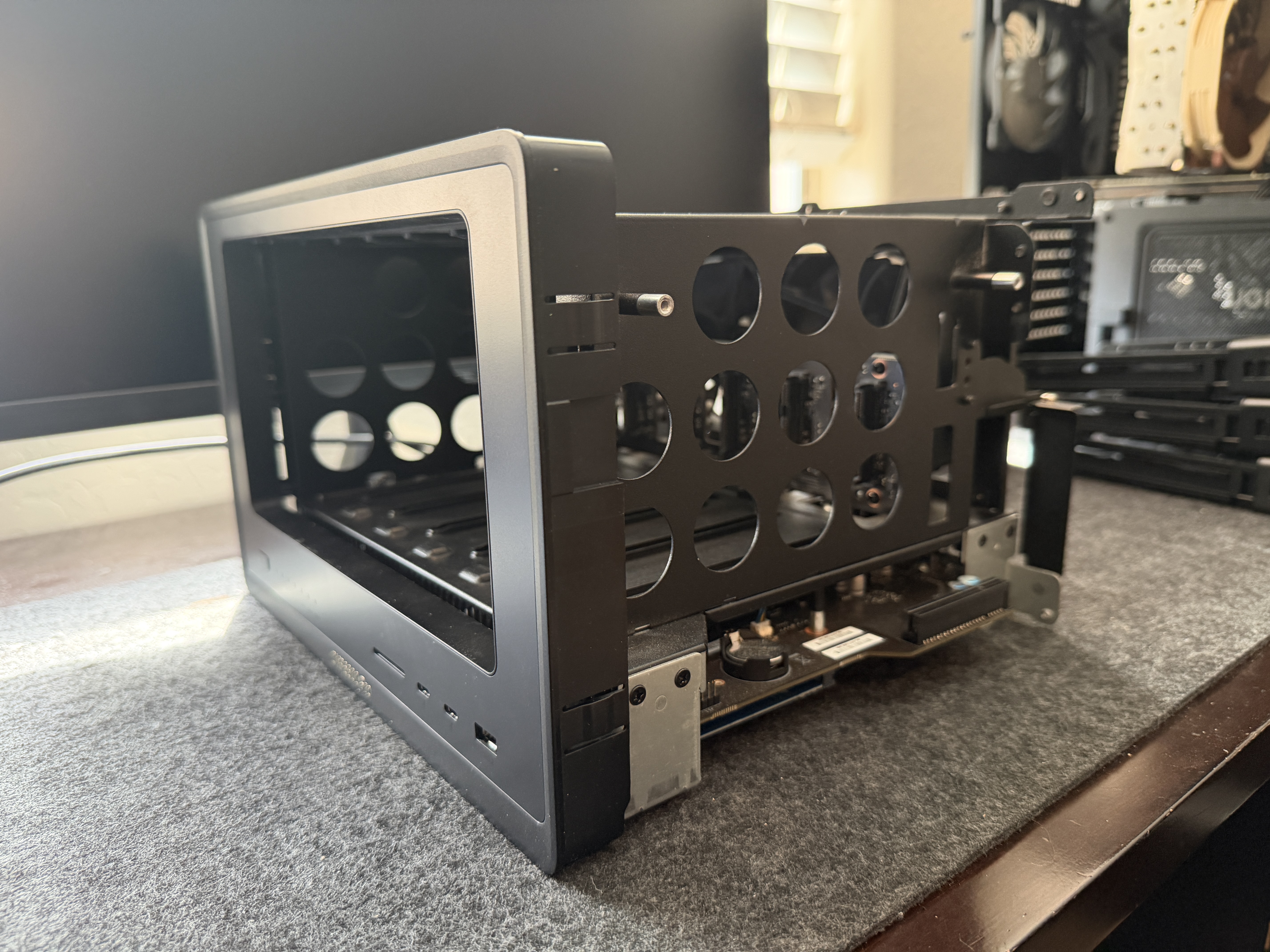
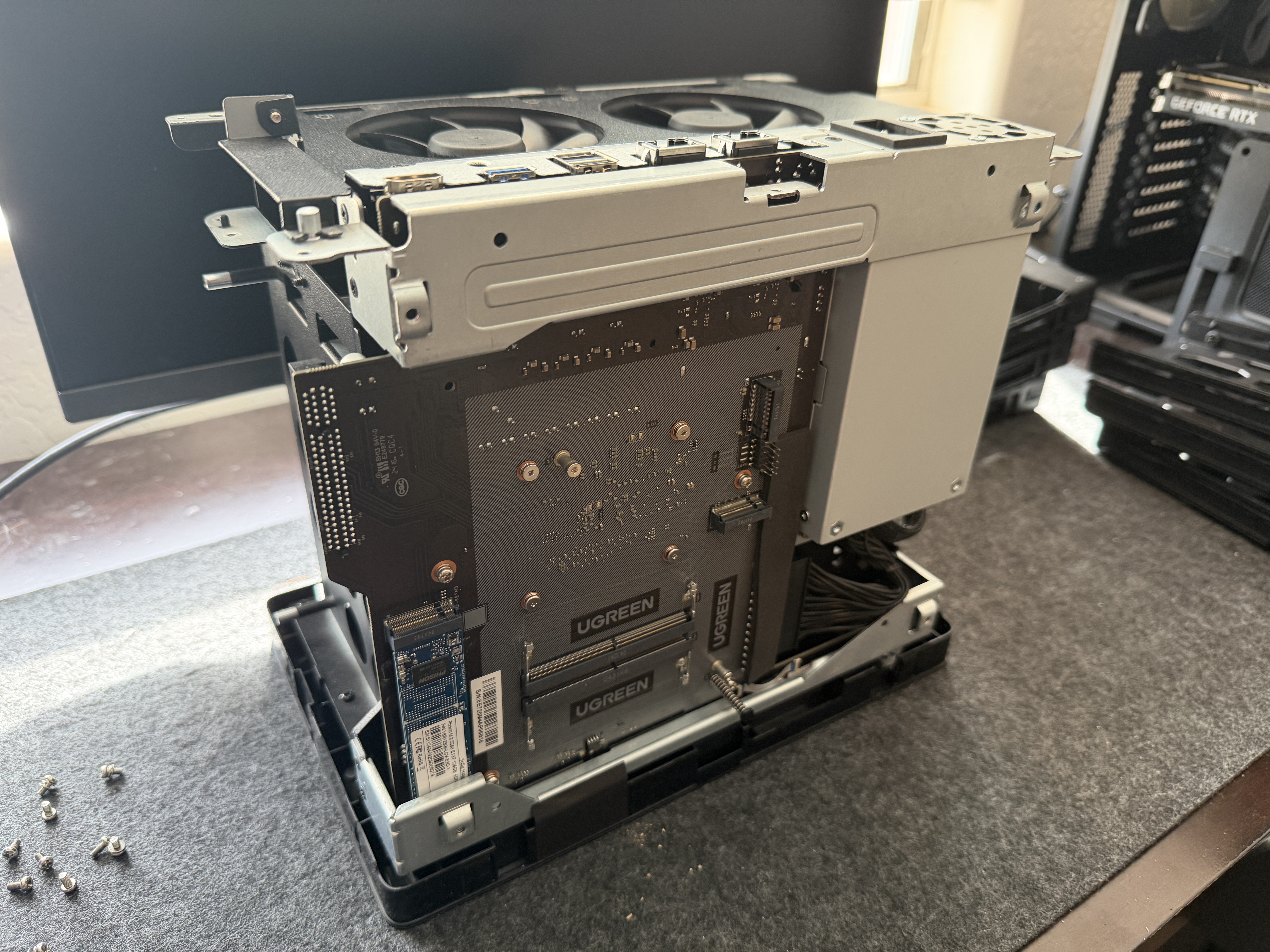
The full teardown reveals just how well this thing is put together. The internal frame is heavy-gauge metal with the motherboard, integrated PSU, and drive backplane all solidly mounted. Cable management is clean with the PSU cables neatly routed. The circular cutouts in the side panels reduce weight without compromising rigidity.
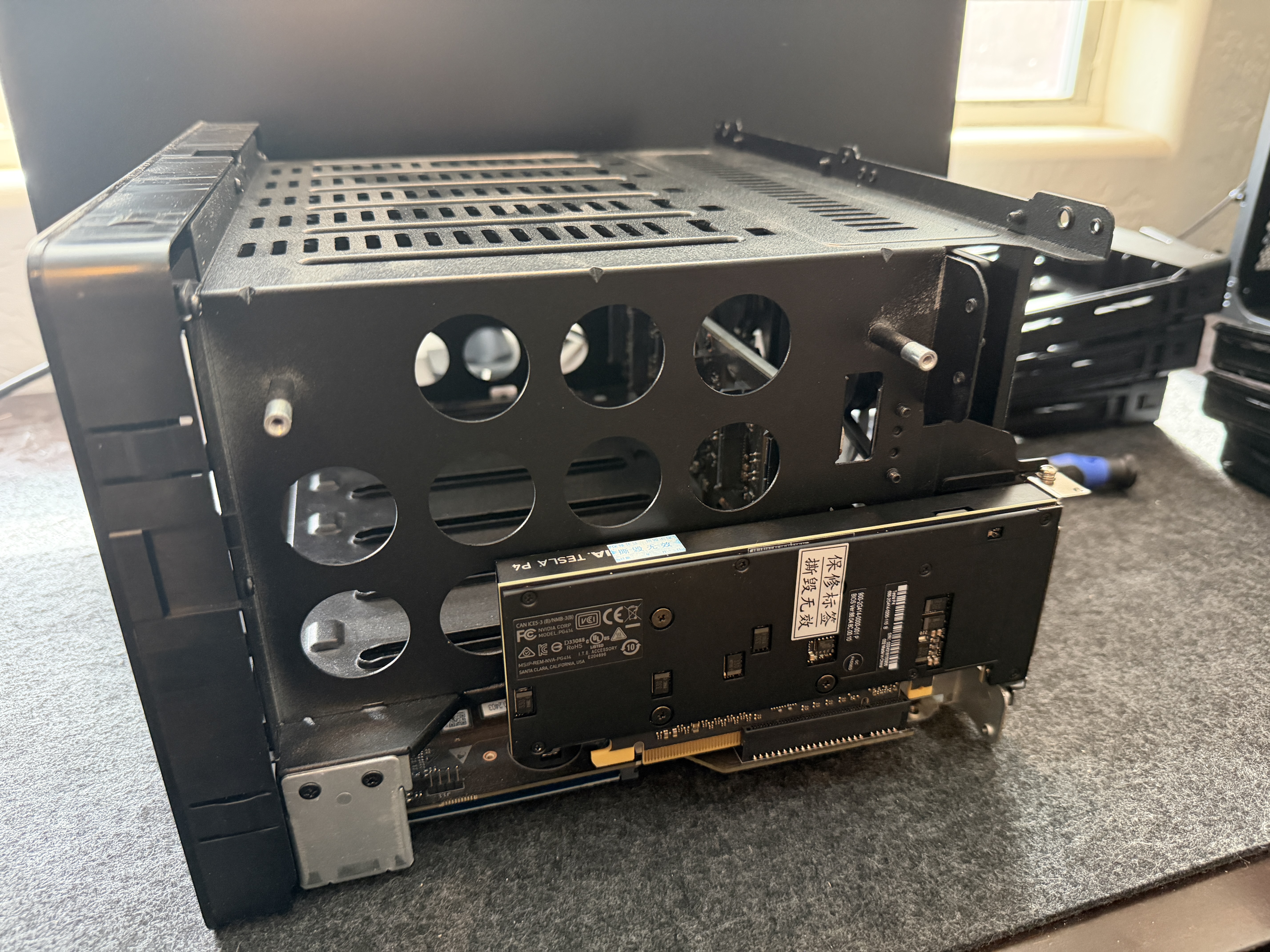
The PCIe expansion slot is an open-ended x8 electrical slot in a half-height form factor. The open-ended design means it physically accepts cards up to x16 in length -- I tested with an NVIDIA Tesla P4 (a full x16 card) and it seated without issue. The slot negotiates at x8, x4, or x1 depending on the card. Accessing it requires removing the outer shell, which involves removing the back panel screws and sliding the shell off. Not a frequent task, but straightforward.
Who Is This For
The DXP6800 Pro is overkill as a pure file server. It earns its price when you treat it as a compact home server that also happens to have six drive bays. Running Proxmox with containers for Jellyfin, a reverse proxy, DNS, monitoring, and other services while simultaneously serving files over 10GbE is where this device shines. The i5-1235U has more than enough power for that workload, and 64GB of DDR5 gives you room to run a meaningful stack of services.
If you just need to store files and stream media, there are cheaper options. But if you want a single, quiet, beautifully built box that replaces both a NAS and a home server, the DXP6800 Pro delivers.